
Website analytics and tracking help you understand how people find your website, what they do after arriving, and which visits lead to enquiries or sales. Tracking records the activity; analytics turns those records into decisions about your content, marketing and website.
The useful question is rarely just “How many visitors did we get?” A service business needs to know whether those visitors became suitable enquiries. An online shop needs to know whether orders were completed and whether the revenue recorded is accurate.
A reliable setup connects three things: the source of a visit, a verified action on the website, and the business outcome that follows. Start there before adding more dashboards.
Decide what a successful website visit looks like
Choose the outcomes your website is meant to produce. For a contractor, that might be an accepted consultation request. For an online retailer, it is a completed purchase. Reading an article, scrolling or clicking a button can help explain the journey, but those actions should not all carry the same weight as a sale.
Write a short measurement plan before configuring events. Each event needs a clear meaning, a reliable trigger and someone responsible for checking it.
| Business question | What to measure | What the number does not prove |
|---|---|---|
| Are people sending enquiries? | A successful enquiry submission, commonly recorded as generate_lead. | That the enquiry is genuine, suitable or likely to become a customer. |
| Are visitors trying to call? | A telephone link click, using a clearly named custom event such as phone_click. | That a call connected, was answered or produced a booking. |
| Are appointments being booked? | A booking confirmed by the scheduling system. | That the customer attended or paid. |
| Are website visitors buying? | A valid purchase event with an order identifier, value and currency. | That the order remained profitable after costs, cancellations and refunds. |
| Are enquiries becoming worthwhile work? | Qualified leads and won business in a CRM or a maintained lead register. | That the last recorded marketing touchpoint caused the whole sale. |
Google provides recommended GA4 events for lead generation and ecommerce, including generate_lead, qualify_lead and purchase. Use the relevant recommended names when implementing those actions. A custom name such as phone_click needs its own configuration; it does not appear simply because a telephone number is on the page.
Give each measurement tool a clear job
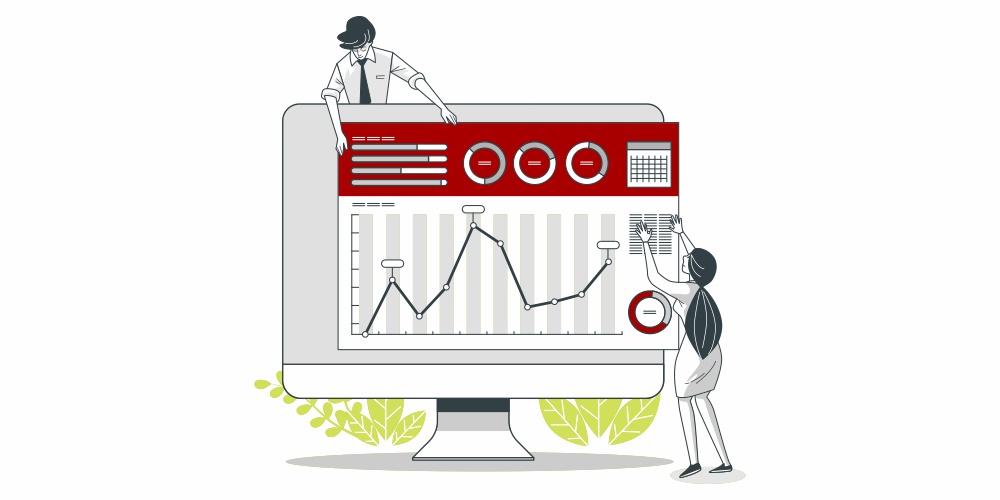
A small business can begin with a few connected sources rather than a large collection of subscriptions:
- Google Search Console: shows how your site appears in Google Search, including queries, impressions, clicks and the pages receiving that traffic.
- Google Analytics 4: measures collected website activity, traffic sources and important actions after a visit begins.
- Google Tag Manager: manages tracking tags and their triggers. It is an implementation tool, not a replacement for an analytics report.
- Your booking, order or lead system: confirms what actually reached the business and what happened afterwards.
Google’s Tag Manager documentation explains its role in deploying and managing tags. You do not have to use GTM if your website platform already provides a suitable, tested analytics integration.
Add a behaviour analysis tool only when you have a specific question that recordings or heatmaps can help investigate. Broad software comparisons belong in our SEO tools guide; here, the priority is getting trustworthy information from the setup you choose.
Set up GA4 around verified business actions
Keep account ownership and installation under control
The business should retain administrator access to its analytics accounts and give collaborators their own appropriate access. Record the property, web stream and any GTM container used for the production website.
For a Canadian business, check the reporting time zone and currency before comparing reports with bookings or sales. Then identify how the Google tag is installed. On WordPress, a plugin, theme setting, Elementor code block and GTM container can accidentally overlap. Keep one intentional implementation for each measurement task, and check that a normal page visit is not being sent twice.
Installing GA4 begins collection from that point onward. It does not recover visits or actions that were never recorded.
Separate an event from a key event
In current GA4 terminology, an event records an interaction. A key event is an event you identify as especially important to the business. Google also distinguishes key events from conversions used in Google Ads and its associated advertising reporting. See Google’s explanation of conversions and key events.
For a service enquiry page, mark the validated enquiry event as a key event. Keep form starts and contact button clicks available for diagnosis without reporting them as completed enquiries. If you use Google Ads, check which actions are used for bidding so a low-value interaction does not become the campaign’s main success signal.
Confirm the result before recording the lead
A visitor can press Submit while required fields are empty. A form can also fail after the button is clicked. Your lead event should follow the successful result defined in the measurement plan, such as acceptance by the form system.
GA4 enhanced measurement can collect form_start and form_submit events. Treat them as signals to test on your actual form, rather than assuming they establish that a usable enquiry reached your business. The available events and parameters are listed in Google’s enhanced measurement documentation.
For example, Contact Form 7 exposes separate browser events for invalid input, suspected spam, mail failure and successful sending. Its wpcf7mailsent event is more specific than the general wpcf7submit event. The plugin’s official event documentation explains the distinction. Successful sending still does not prove inbox delivery or lead quality; check those in the business workflow.
If you measure a thank-you page instead, test whether someone can revisit or refresh it and generate another lead event without a new enquiry. Ask the implementer to prevent that from inflating the count.
Check purchases and external booking journeys separately
For ecommerce, validate the order identifier, items, value and currency sent with each purchase. Check for duplicate purchase events and record refunds appropriately. Google’s ecommerce implementation guide defines the relevant events and parameters. Compare reported orders with the store’s order system; do not use an analytics revenue chart as your accounting ledger.
If a customer leaves your domain to book or pay, determine what the destination supports. GA4 cross-domain measurement can connect supported journeys across domains, but it needs configuration on the relevant sites. An external booking provider may instead require its own integration or a confirmed booking callback. An outbound click alone remains an outbound click.
Test the tracking before using the numbers
Use Tag Assistant or GTM Preview to inspect which tags fire, then GA4 DebugView to inspect the events and parameters received with debug mode enabled. Test from a known device and account for consent settings, which can affect what appears.
A practical acceptance check should cover both successful and unsuccessful journeys:
- Valid enquiry: one accepted submission produces the intended lead event once.
- Rejected enquiry: an empty required field or failed submission does not produce a successful lead event.
- Repeat actions: double clicks, refreshes and back-button visits do not create duplicate outcomes.
- Mobile use: the real mobile form, telephone link and booking flow behave as expected.
- Consent choices: accepting, refusing and changing a choice produce the intended tag behaviour.
- Business receipt: the test enquiry, booking or order appears in the system that will handle it.
Check the appropriate report again after processing. Realtime and DebugView are useful for collection checks; they are not the place to settle attribution questions. Repeat these tests after changing forms, consent settings, checkout software, tracking plugins or major page templates.
Collect useful data without exposing customer details
Keep names, email addresses, telephone numbers and form messages out of ordinary GA4 event parameters, page URLs and campaign labels. Google’s guidance on avoiding personally identifiable information covers common ways those details can leak into analytics.
For an enquiry event, a form identifier and a general service category may be enough to answer the reporting question. The customer’s message belongs in the system used to manage the enquiry.
Document what each tag collects and how it responds to the visitor’s consent choice. Google Consent Mode adjusts tag behaviour based on consent state; it does not obtain consent for you. In advanced mode, denied storage consent can still involve measurements sent without cookies, so “no cookies” does not automatically mean “no data sent.”
If you add session recordings, review masking and excluded pages before enabling them. Avoid capturing form contents or sensitive customer areas simply because the tool offers that capability.
Read traffic sources and attribution consistently
GA4 has different answers to “Where did this customer come from?” depending on the report. First user dimensions describe initial acquisition. Session dimensions describe the source of a particular visit. Event attribution can distribute credit for key events differently. Google documents these traffic-source scopes.
For a routine website review, choose a consistent starting point: sessions by source, the landing page where those sessions began, and the selected business event. Keep the same definitions when comparing periods.
Tag external campaign links you control, such as newsletter links, with consistent UTM values. A simple example is utm_source=customer_newsletter, utm_medium=email and utm_campaign=autumn_maintenance. Google’s campaign URL guidance explains the parameters. Keep a shared naming list so the same campaign does not acquire several labels.
Use event parameters to distinguish buttons inside your own website instead of adding campaign UTMs to internal navigation. Also keep an “unknown” category in your business lead records. Missing source information is a limitation to investigate, not evidence that every unattributed enquiry came from SEO.
Measure AI referrals separately from Google’s AI search features
Google’s current default channel definitions include AI Assistant for traffic from recognised sources such as ChatGPT, Gemini and Copilot. Google’s AI Overviews and AI Mode are excluded from that channel and are included in Organic Search.
Start with the Session default channel group and inspect the associated Session source / medium and landing pages. Check the classification present in your property and the dates being compared before interpreting a sudden change as audience growth. Older exports or custom channel groups may organise the same sources differently.
In Search Console, appearances and clicks from Google’s AI features are included in the overall Web search performance data, according to Google Search Central. That combined total is not a separate count of visits from AI Overviews.
Analytics measures recorded visits. It cannot tell you every time an assistant mentioned your business without sending a visitor, and missing referral information can prevent a visit from being identified correctly. Report measurable AI visits and their outcomes without presenting them as total AI visibility.
AI can also help review an aggregated report. Ask it to identify the rows behind a change, show the calculation and list possible explanations. Verify those points against the original data before acting. A persuasive explanation is not proof that a content update caused an increase in enquiries.
Build a monthly report around decisions
A useful monthly review can fit on one page. Include the date range, important tracking changes and the following measures:
- Search visibility: relevant Google queries and landing pages receiving impressions and clicks.
- Website activity: sessions by source and the main service or product landing pages.
- Verified website outcomes: accepted enquiries, confirmed bookings or purchases, with the chosen counting rule stated.
- Lead quality or sales quality: qualified enquiries, won work, cancellations or refunds from the business system.
- The next action: one change to make, its owner and how you will judge the result.
When reporting a session key event rate, use sessions containing the selected key event divided by total sessions in the same segment. Dividing raw event counts by sessions can produce a different figure, especially when someone submits more than once. Keep the definition beside the number.
For example, consider this hypothetical service website. These figures illustrate interpretation; they are not Maple Web Design client results or industry benchmarks.
| Measure | Period A | Period B |
|---|---|---|
| Measured website sessions | 1,000 | 800 |
| Sessions with at least one accepted enquiry | 20 | 24 |
| Session enquiry rate | 2% | 3% |
| Qualified enquiries in the business’s lead records | 10 | 14 |
Traffic fell, but measured enquiry activity and qualified enquiries increased. That is a reason to investigate which sources and pages brought suitable customers. It is not a reason to declare every part of the website improved.
Before comparing periods, check that tracking coverage, consent settings and event definitions stayed consistent. Allow enquiries the same follow-up time before comparing qualification or won work. With small numbers, review a longer period and comparable seasonal demand rather than turning one extra booking into a dramatic percentage claim.
Investigate the pattern before changing the website
Search Console clicks and GA4 sessions do not match
A Google Search click and a website session are different measures. Consent, implementation, time zones and reporting scope can also affect comparisons. Google explains these differences in its guidance on using Search Console and Analytics together. Compare equivalent dates and Google organic traffic first; investigate large or sudden discrepancies rather than forcing the totals to agree.
Visits are stable, but enquiry events suddenly disappear
Submit a test enquiry and check the form system before rewriting the page. A changed form identifier, missing tag or altered confirmation flow may have broken measurement. If real enquiries still arrive, the immediate problem is the record of the activity.
The tracking works, but visitors rarely finish the task
Segment by landing page, traffic source and device. Then inspect the actual journey. Our website user experience guide covers practical usability checks; the separate GA4 bounce rate guide explains that engagement metric. One engagement number alone cannot establish why someone left.
Enquiries increase, but suitable customers do not
Review spam, service fit, location, budget and the offer that attracted the enquiry. Keep the qualification criteria consistent. Adding more traffic to a page that attracts unsuitable requests may increase workload without improving revenue.
If the underlying problem is search visibility, use the separate guide to why a website is not ranking on Google. Analytics provides evidence for that investigation; it does not replace it.
Use measurement to choose the next improvement
Start with one important customer journey. Define success, test the event, compare it with the business record and review the result using consistent sources and dates. Expand the setup when a new decision genuinely needs more information.
If you want search performance and business outcomes reviewed together, explore Maple Web Design’s SEO services in Vancouver. The purpose of measurement is to make the next decision clearer: which page needs attention, which enquiries are worth pursuing and which work is producing a useful result.